
Real-time MIDI control

Adaptive
chord control.

Adaptive
chord control.

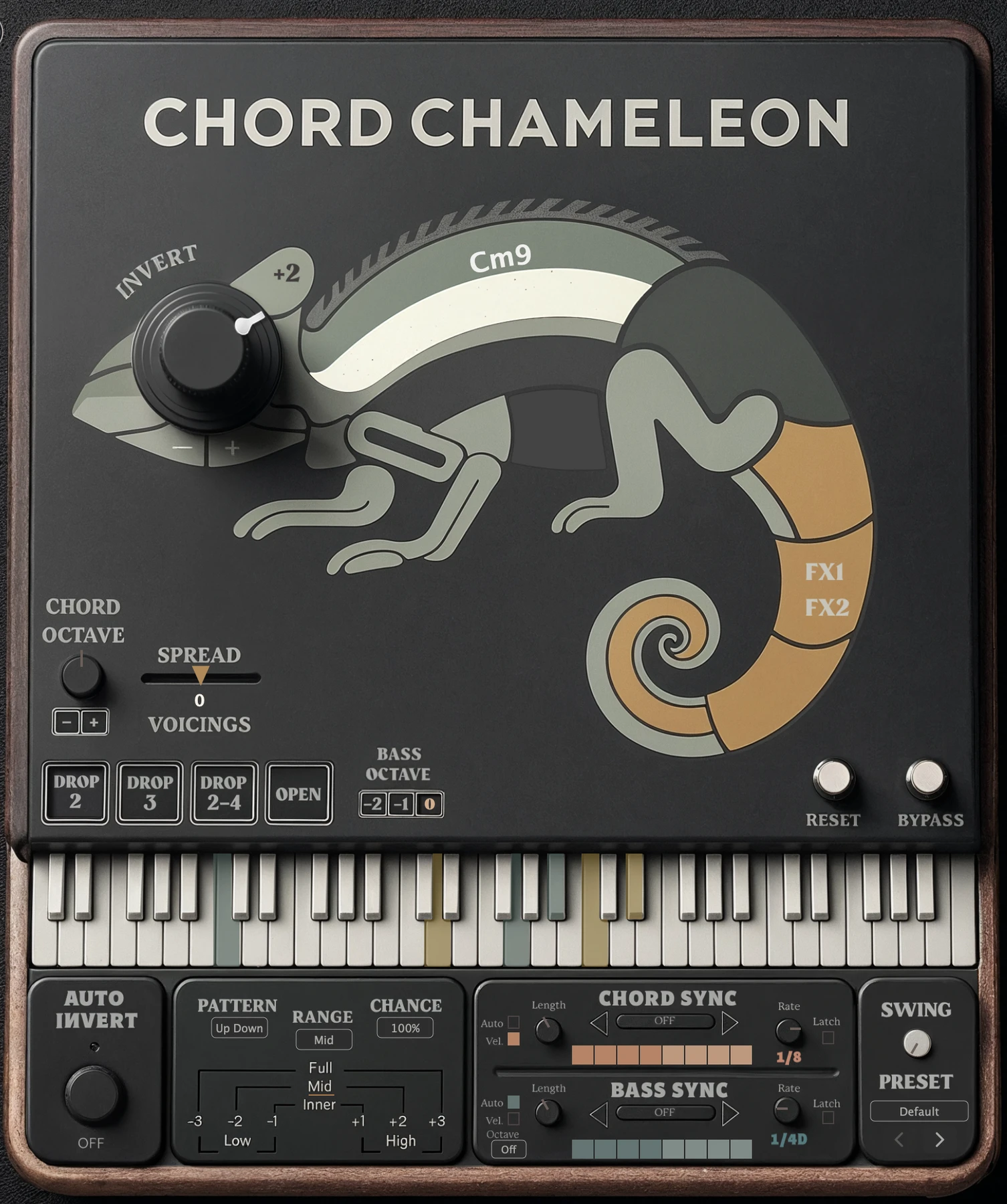
Apply inversions and voicings to the chords you play in real time, with MIDI-mappable controls and independent chord and bass sequencing.

Apply inversions and voicings to the chords you play in real time, with MIDI-mappable controls and independent chord and bass sequencing.

The complete Chord Chameleon interface in its dark theme: the Invert knob set in the chameleon’s eye, voicing buttons, the keyboard, Auto Invert, and the Chord Sync and Bass Sync rows.

At a glance

Key
Features

Key
Features

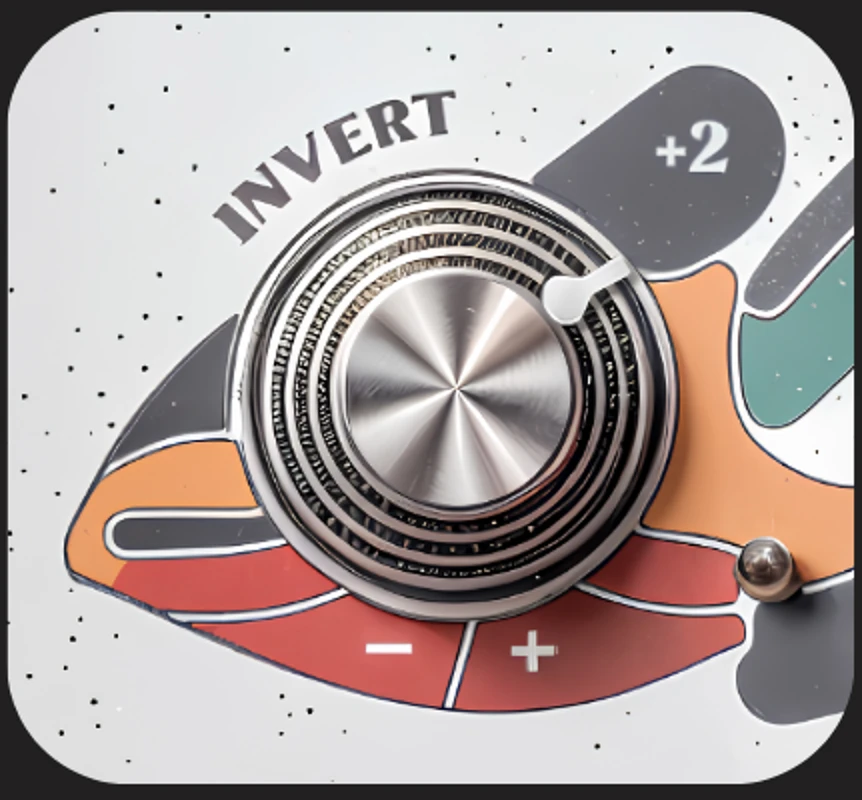
Close crop of the Chord Chameleon faceplate in its dark theme: the Invert knob, set to plus two, forms the chameleon’s eye.

01

Auto Invert

Inversions for the next chord you play

Drop 2, Drop 3, Drop 2-4 and Open voicings

Spread to tighten or widen the spacing

See this section

Close crop of the dark faceplate: the Chord Octave knob with minus and plus buttons, the Spread slider above the four voicing buttons, and the Bass Octave buttons minus two, minus one and zero.

02

Sequencer

Bass and melody notes outside the chord stay where you played them

Separate Chord Octave and Bass Octave

Auto Bass Octave patterns for synced bass notes

See this section
The Chord Sync and Bass Sync panel on the plug-in with both switched on: a Chord Grid at a Rate of one quarter above a Bass Grid at one eighth.

03

Presets

Chord Sync and Bass Sync, separately or together

A pattern, Rate, Length and loop range for each part

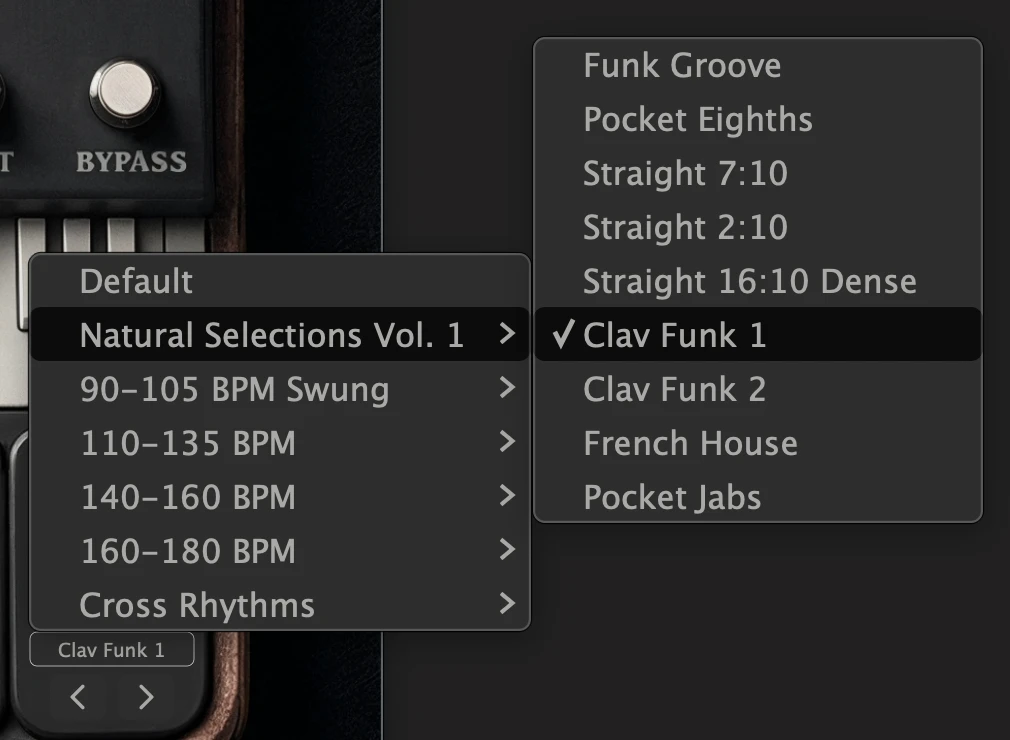
Presets built around the chord and bass interaction

See this section

SYNC Sequencer

Independent chord and bass sequencing

Independent chord and bass sequencing

Give chords and bass separate patterns, rates, note lengths, and loop ranges. Sync both parts, or sync the bass while playing chords freely.

Give chords and bass separate patterns, rates, note lengths, and loop ranges. Sync both parts, or sync the bass while playing chords freely.

The Chord Sync and Bass Sync panel on the plug-in, dark theme, both rows on. Each row has its own Length and Rate controls, Latch, and a step grid: orange for chords, teal for bass.

Chord Grid

Steps for every chord you play

Bass Grid

Steps for the bass note under it

01

Patterns

Click or drag the grid squares to choose which steps play, separately for chords and bass.

02

Rates

Each part has its own Rate: half, quarter, eighth, and sixteenth notes, plus dotted quarter and dotted eighth.

03

Note lengths

Length sets how long each synced chord note or bass note lasts.

04

Loop ranges

Repeat a shorter section of either grid. Each Rate remembers its own pattern and loop range.

01

Chord Sync only

All played notes follow the Chord Grid.

Chord GridRate 1/4
Chords
follow the Chord Grid
Bass
follows the Chord Grid
Chord GridRate 1/4
Chords
follow the Chord Grid
Bass
follows the Chord Grid

02

Chord + Bass Sync

Chords follow the Chord Grid. Bass notes follow the Bass Grid.

Chord GridRate 1/4
Bass GridRate 1/8
Chords
follow the Chord Grid
Bass
follows the Bass Grid

03

Bass Sync only

Bass follows the Bass Grid. Higher notes and chords play freely, with inversions and voicings.

Bass GridRate 1/8
Chords
played freely
Bass
follows the Bass Grid

Play chords over a synced bassline

What it does

What it does

(10) · all in the manual

(10) · all in the manual

Nº

Nº

Control

Control

Summary

Summary

Part

Part

01

Chord inversions

Select the inversion for your next chord without changing the notes you are already holding.

Select the inversion for your next chord without changing the notes you are already holding.

Chord

Chord

02

Voicing presets

Voicing presets

Drop 2, Drop 3, Drop 2‑4, or Open, alongside your chosen inversion.

Drop 2, Drop 3, Drop 2‑4, or Open, alongside your chosen inversion.

Chord

Chord

03

Spread

Spread

Tighten or widen the spacing between chord notes.

Tighten or widen the spacing between chord notes.

Chord

Chord

04

Auto Invert

Auto Invert

Steps through inversions as you play; choose the pattern, the range, and how often the inversion changes.

Steps through inversions as you play; choose the pattern, the range, and how often the inversion changes.

Chord

Chord

05

Chord Octave and Bass Octave

Chord Octave and Bass Octave

Set chord and bass octaves separately.

Set chord and bass octaves separately.

Both

Both

06

Bass and melody separation

Bass and melody separation

Inversions and voicings apply to the chord; bass and melody notes outside the chord stay where you played them.

Inversions and voicings apply to the chord; bass and melody notes outside the chord stay where you played them.

Both

Both

07

Chord Sync and Bass Sync

Chord Sync and Bass Sync

Separate patterns, rates, note lengths, and loop ranges for chords and bass.

Separate patterns, rates, note lengths, and loop ranges for chords and bass.

Both

Both

08

Auto Bass Octave

Auto Bass Octave

Add repeating octave movement to synced bass notes.

Add repeating octave movement to synced bass notes.

Bass

Bass

09

SYNC presets

SYNC presets

Coordinated chord and bass SYNC settings to start from, then adjust.

Coordinated chord and bass SYNC settings to start from, then adjust.

Both

Both

10

MIDI mapping

MIDI mapping

Map performance controls to MIDI hardware or automate them in your DAW.

Map performance controls to MIDI hardware or automate them in your DAW.

Both

Both

Getting Started

How it works

How it works

Live input or existing MIDI

Live input or existing MIDI

Apply the controls to a keyboard performance or MIDI notes already in your track. Chord Chameleon processes the notes before they reach your instrument.

Apply the controls to a keyboard performance or MIDI notes already in your track. Chord Chameleon processes the notes before they reach your instrument.

Keyboard icon in a circle.

Your playing

Play live, or use existing MIDI from the track.

MIDI file icon.

MIDI in

Notes arrive as MIDI, from the keyboard or a clip.

Chord Chameleon circular logo.

Chord Chameleon

Processes chords and bass notes independently, in real time.

Speaker icon in a circle.

Your instrument

Plays the transformed notes. Chord Chameleon has no built-in sounds.
Keyboard icon

Chord Chameleon responds to
the way you strike, roll,
and hold notes.
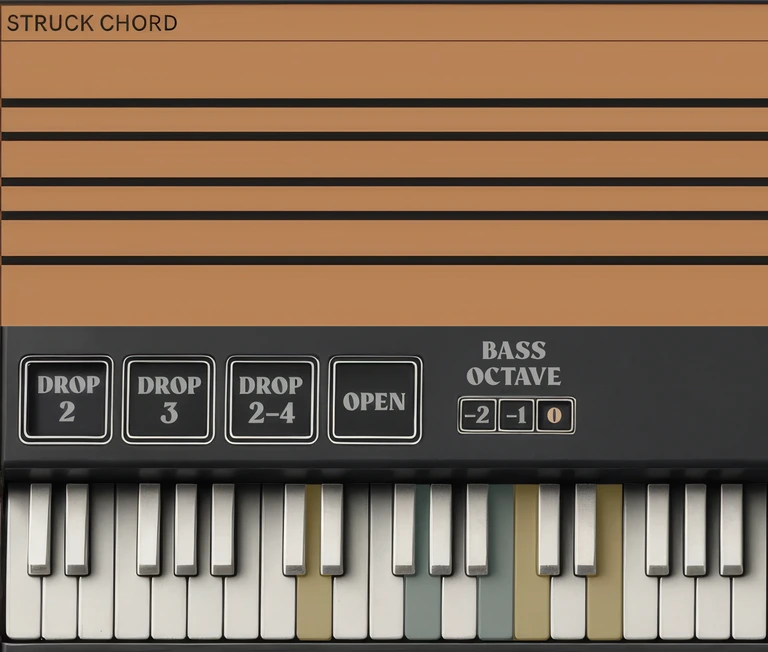
Struck together

Strike a chord to reshape it.

Strike three or more chord notes together and Chord Chameleon applies your selected inversion and voicing.

Chord processed
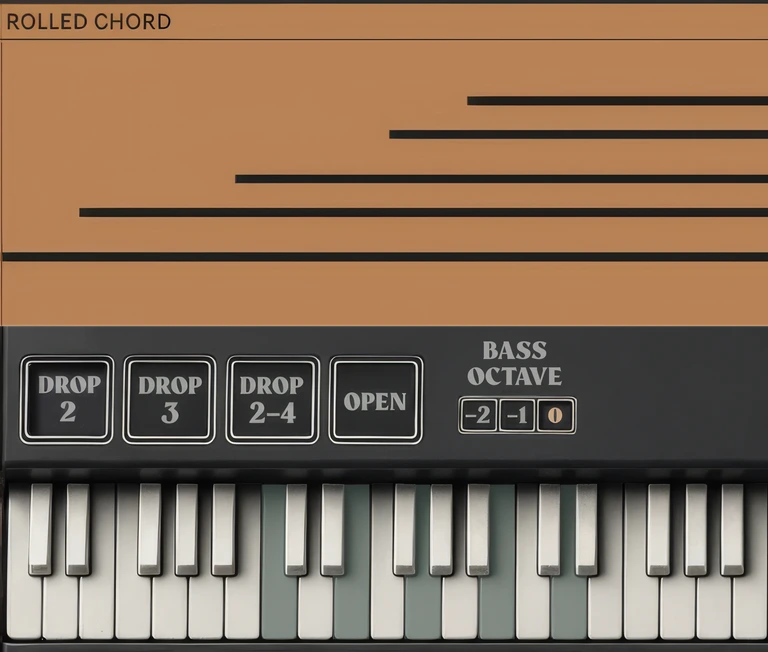
Played one at a time

Roll it, and the notes stay as played.

Play and hold notes one at a time to preserve their original pitches.

Rolled chord

Played one at a time

Roll it, and the notes stay as played.

Play and hold notes one at a time to preserve their original pitches.

Rolled chord

Grace notes

Held notes

Hold a chord, and follow-up notes stay with it.

Once a chord is detected, nearby follow-up notes use its current inversion and voicing while at least one note from the original chord remains held.

01 · Chord detected

01 · Chord detected

01

02 · Follow‑up note

02 · Follow‑up note

02

03 · All released

03 · All released

03

Three or more notes are struck together. The chord is detected and processed.

Three or more notes are struck together. The chord is detected and processed.

01 · Three or more notes are struck together. The chord is detected and processed.

At least one original chord note is still held. A nearby follow-up note uses the chord’s current inversion and voicing.

At least one original chord note is still held. A nearby follow-up note uses the chord’s current inversion and voicing.

02 · One chord note is still held. A nearby follow‑up note takes the chord’s current inversion and voicing.

When the last original chord note is released, the connection ends.

When the last original chord note is released, the connection ends.

03 · When every note from that chord is released, the connection ends.

Different from a rolled chord: a rolled chord is built one note at a time before any chord is detected, so it stays as played.

Before you start

Practical questions

Setup steps, control descriptions, and performance examples are in the manual.

No. Chord Chameleon processes incoming chords rather than generating them from single-note triggers. The notes can come from your playing or an existing MIDI clip.

Setup, controls, and examples

Explore the chord and bass controls.

See the sequencing modes, performance examples, and setup instructions in the manual.