

Real-time MIDI control

Real-time MIDI control

Adaptive chord control.

Adaptive chord control.

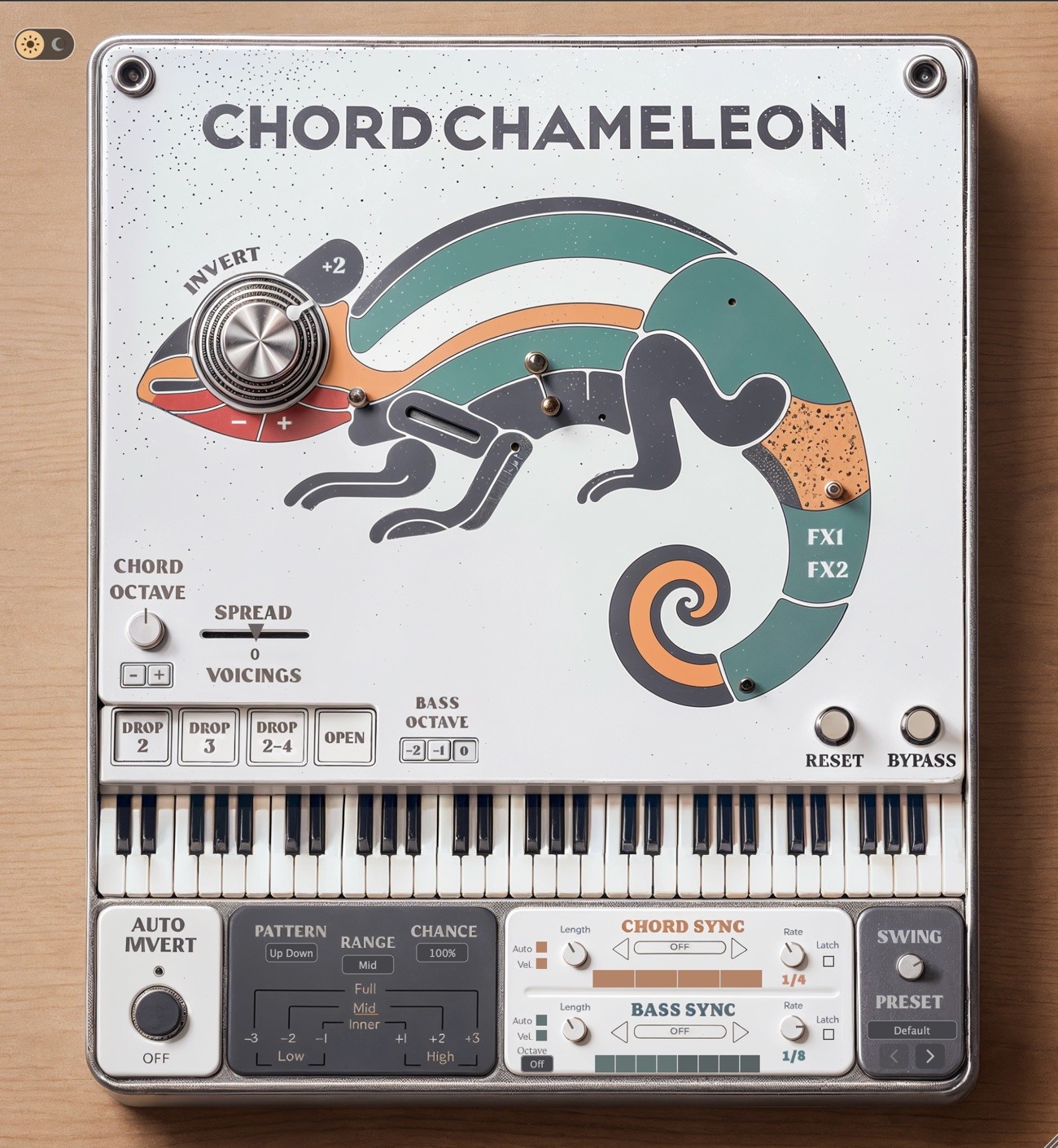
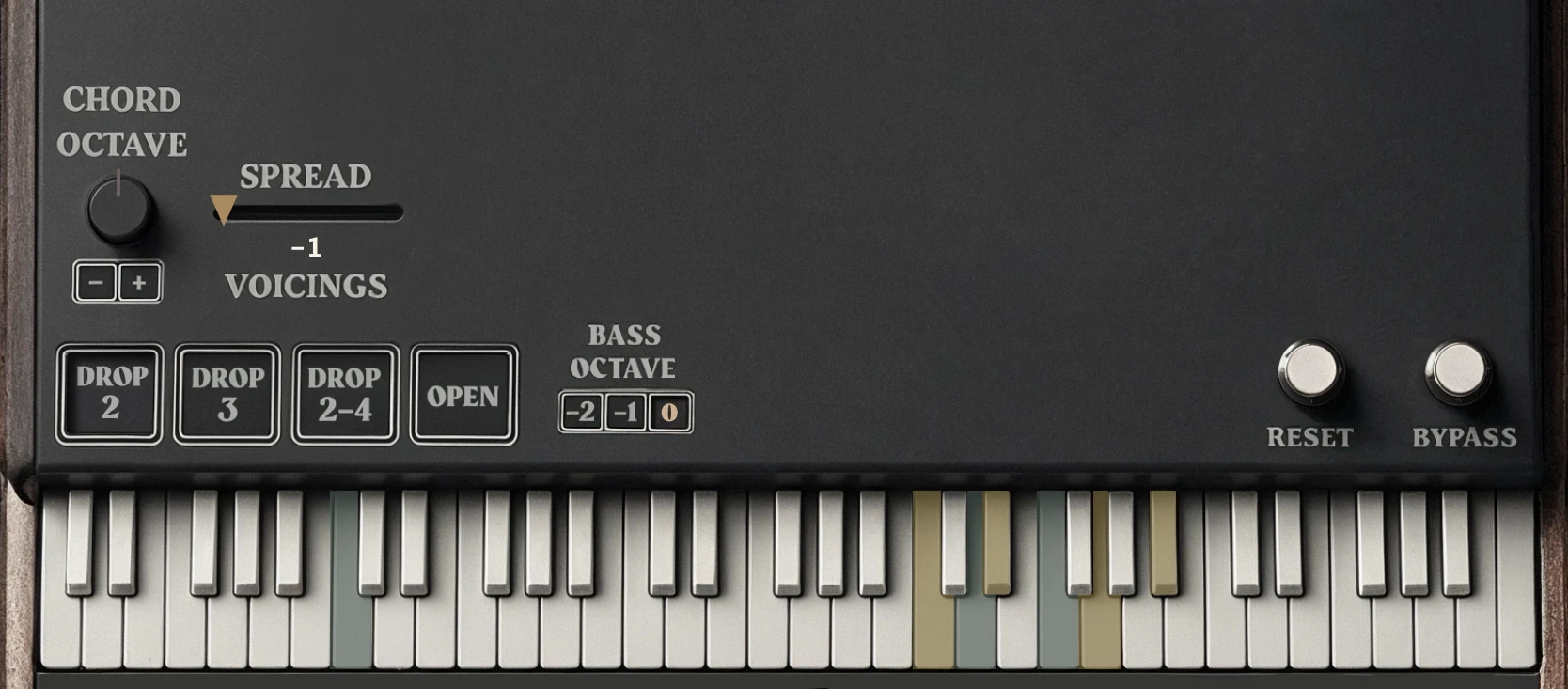
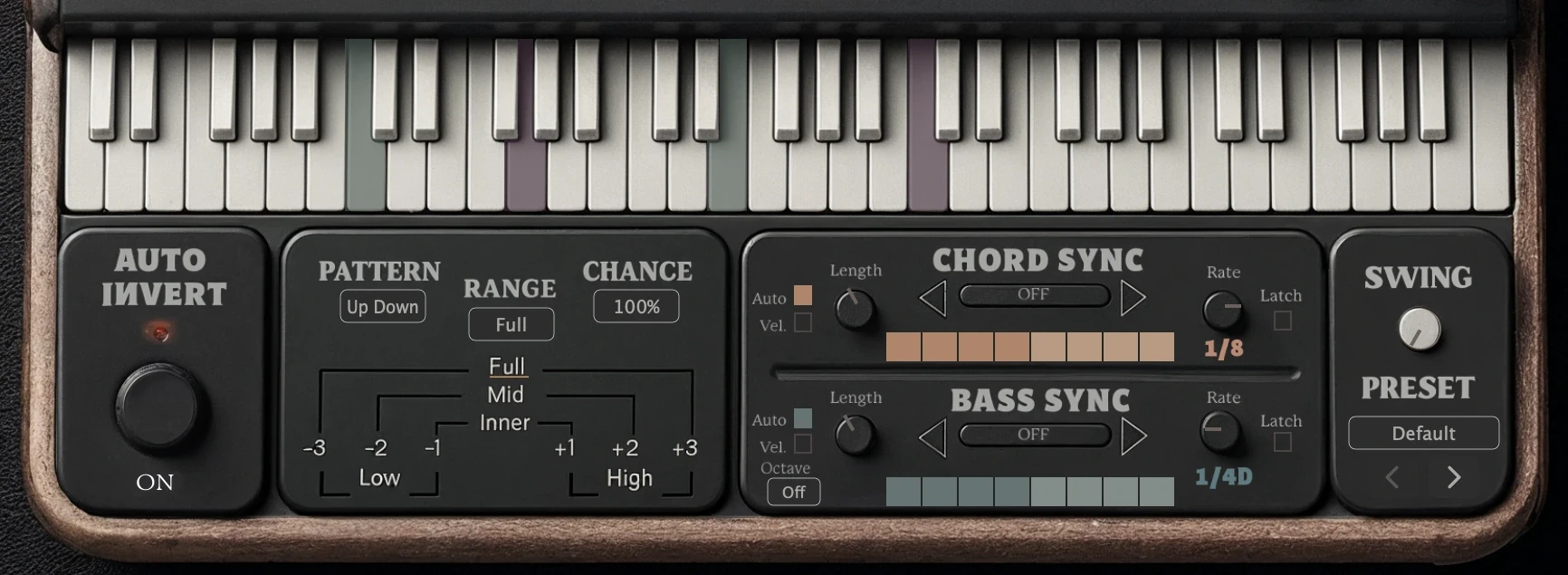
The complete Chord Chameleon interface in its light and dark themes: the Invert knob set in the chameleon’s eye, voicing buttons, keyboard, Auto Invert, Chord Sync and Bass Sync rows, and the Swing and Preset controls.

Apply inversions and voicings to the chords you play in real time, with MIDI-mappable controls and independent chord and bass sequencing.

Apply inversions and voicings to the chords you play in real time, with MIDI-mappable controls and independent chord and bass sequencing.

The complete Chord Chameleon interface in its light theme: the Invert knob set in the chameleon’s eye, voicing buttons, keyboard, Auto Invert, Chord Sync and Bass Sync rows, and the Swing and Preset controls.

HOW IT WORKS

Built around the way you play.

Roll to
Keep as Played

Roll to
Keep as Played

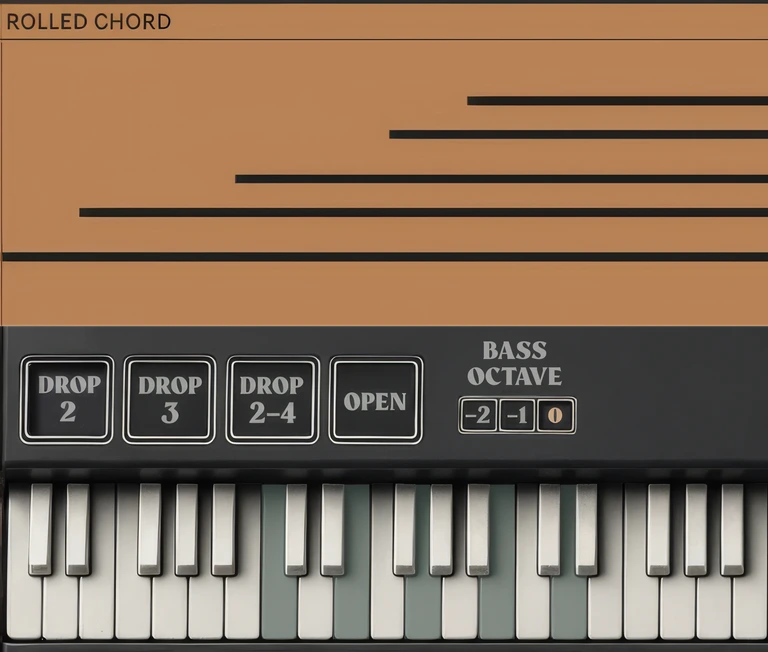
Roll notes one at a time.
Their pitches stay exactly as played.

Strike to
Revoice

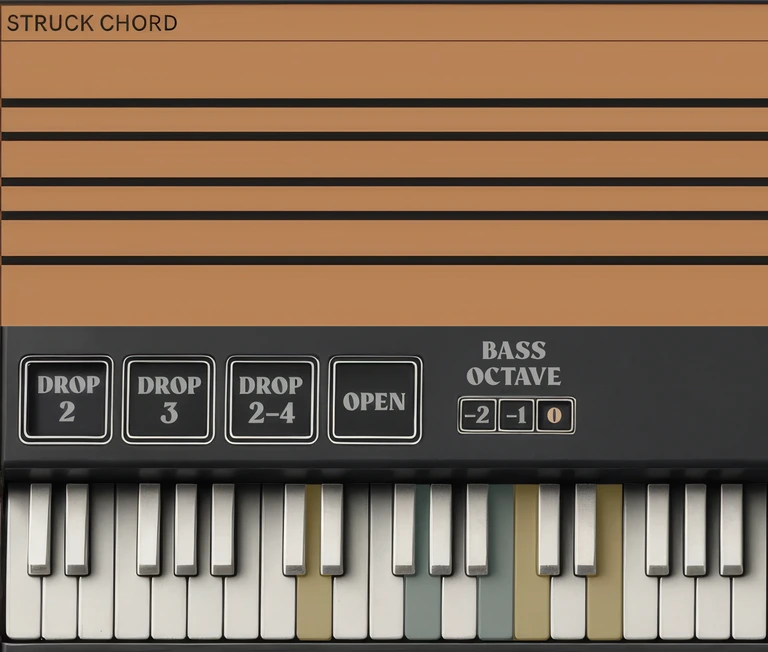
Strike three or more notes together.
The chord adapts to your selected inversion and voicing.

Strike to
Revoice

Strike three or more notes together.
The chord adapts to your selected inversion and voicing.

OVERVIEW

OVERVIEW

Play live or remix existing MIDI files with either system, separately or together.

SYNC Sequencer

Sequence chord and bass notes

independently to tempo-synced 

patterns.

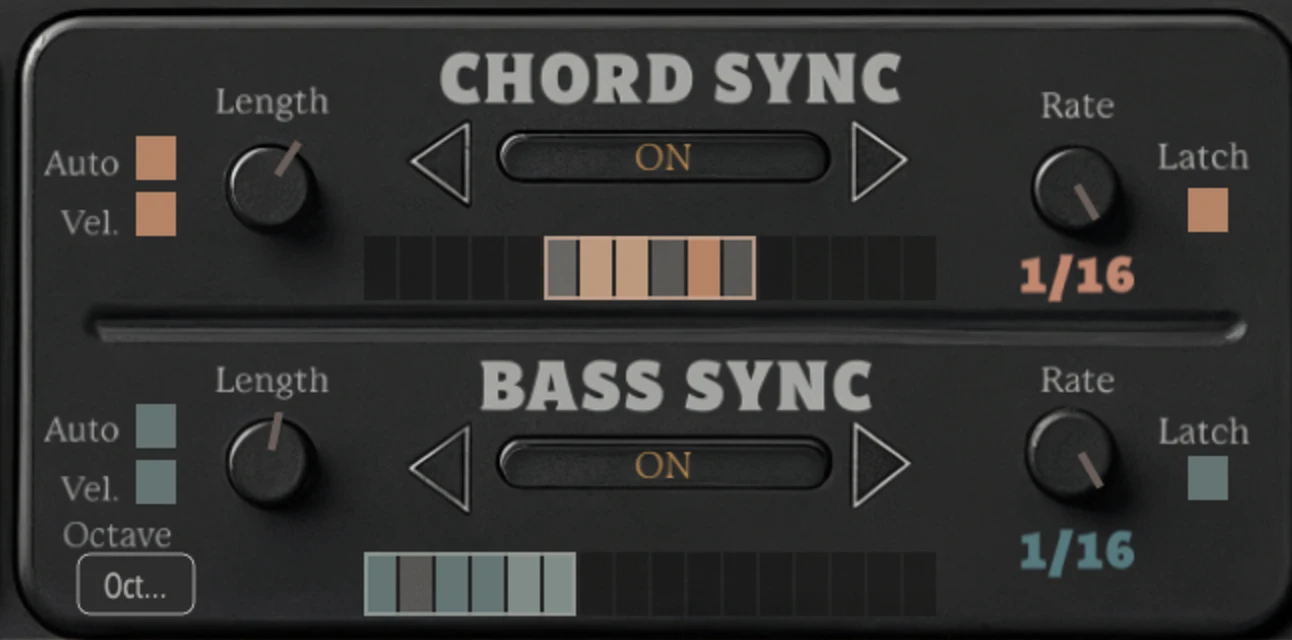
The Chord Sync and Bass Sync panel: four orange chord steps at a rate of 1/4 above eight teal bass steps at 1/8.

Chord Processing · 01 / 03

01

01

Inversions & Voicings

Reshape chords in real time with inversions and voicings.

Chord Processing · 01 / 03

01

Inversions & Voicings

Reshape chords in real time with inversions and voicings.

The Invert dial and chord-shaping controls on the Chord Chameleon faceplate.

Play the shapes you already know

Keep playing familiar chord shapes while Chord Chameleon moves them into new inversions and voicings.

Preselect the next change

Choose a new inversion or voicing while the current chord is still held. The change takes effect on the next struck chord.

Keep the bass and melody intact

Chord transformations stay focused on the chord, leaving bass and melody notes outside it where you played them.

The Invert dial and chord-shaping controls on the Chord Chameleon faceplate.

Play the shapes you already know

Keep playing familiar chord shapes while Chord Chameleon moves them into new inversions and voicings.

Preselect the next change

Choose a new inversion or voicing while the current chord is still held. The change takes effect on the next struck chord.

Keep the bass and melody intact

Chord transformations stay focused on the chord, leaving bass and melody notes outside it where you played them.

Bass notes retain their pitches
as inversions and voicings reshape the chord

Motion paused for your preference

Bass notes retain their pitches
as inversions and voicings reshape the chord

Motion paused for your preference

Four voicing presets

Voicings rearrange the spacing and order of notes within a chord.

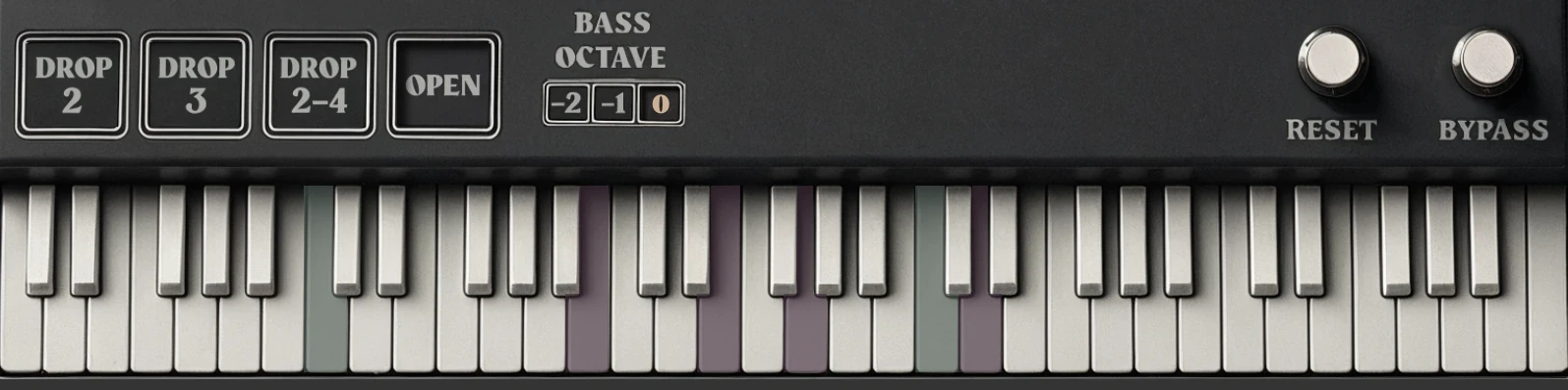
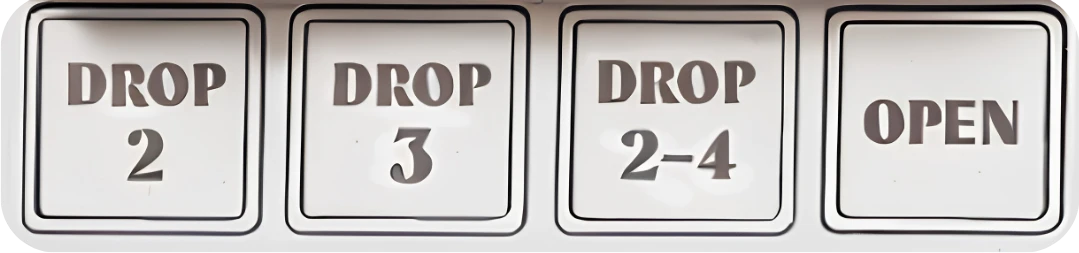
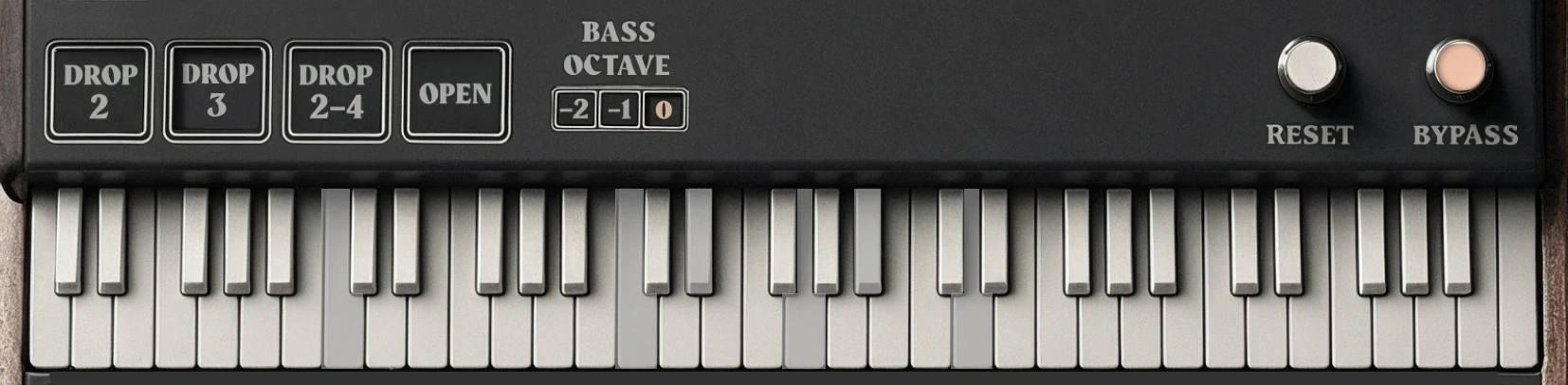
The four voicing buttons on the faceplate: Drop 2, Drop 3, Drop 2-4 and Open.

Drop 2

Lowers the 2nd highest chord note by one octave.

Drop 3

Lowers the 3rd highest chord note by one octave.

Drop 2-4

Lowers the 2nd and 4th highest notes by one octave.

Open

Lowers the highest and 4th highest notes by one octave.

Chord Processing · 02 / 03

02

Cluster & Spread Voicings

Chord Processing · 02 / 03

02

Cluster & Spread Voicings

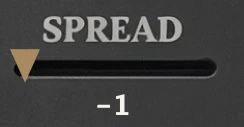
Spread slider

Spread slider

−1 · CLUSTER

Cluster the notes.

SLIDER DETAIL

The spread slider changes the chord’s spacing while preserving the bass note.

Motion paused for your preference

Spread slider

−1 · CLUSTER

Cluster the notes.

SLIDER DETAIL

The spread slider changes the chord’s spacing while preserving the bass note.

Motion paused for your preference

−1

−1

Cluster

Cluster

Bring the notes closer together for a more compact chord shape.

−1

Cluster

Bring the notes closer together for a more compact chord shape.

0

0

No Spread

No Spread

Use the default spacing, with no additional Spread adjustment.

0

No Spread

Use the default spacing, with no additional Spread adjustment.

+1

+1

Spread

Spread

Widen the spacing between chord notes for a more open shape.

+1

Spread

Widen the spacing between chord notes for a more open shape.

Chord Processing · 03 / 03

03

Auto Invert

Auto Invert

Auto Invert automatically reshapes chord inversions as you play through a progression.


Each time a chord is released, it preselects a new inversion setting for the next chord.

Chord Processing · 03 / 03

03

Auto Invert

Auto Invert automatically reshapes chord inversions as you play through a progression.


Each time a chord is released, it preselects a new inversion setting for the next chord.

Auto Invert Controls

Auto Invert Controls

Motion paused for your preference

Auto Invert changes the chord inversion while preserving bass notes.

Auto Invert changes the chord inversion while preserving bass notes.

01

01

Pattern

Pattern

Choose the pattern preset.

Choose the pattern preset.

Move Up, Down or Up Down. Choose Random Neighbor or Random settings for less predictable inversion changes.

01

Pattern

Choose the pattern preset.

Move Up, Down or Up Down. Choose Random Neighbor or Random settings for less predictable inversion changes.

02

Range

Set the boundaries.

Choose Full, Mid or Inner for a centred range, or High or Low to focus on upper or lower inversions.

02

Range

Set the boundaries.

Choose Full, Mid or Inner for a centred range, or High or Low to focus on upper or lower inversions.

02

Range

Set the boundaries.

Choose Full, Mid or Inner for a centred range, or High or Low to focus on upper or lower inversions.

03

Chance

Decide how often.

Set how often Auto Invert steps to a new inversion. Lower Chance for more repeated settings; raise it for more frequent changes.

03

Chance

Decide how often.

Set how often Auto Invert steps to a new inversion. Lower Chance for more repeated settings; raise it for more frequent changes.

03

Chance

Decide how often.

Set how often Auto Invert steps to a new inversion. Lower Chance for more repeated settings; raise it for more frequent changes.

SYNC SEQUENCER

Independent Chord & Bass Sequencing

Give chords and bass separate patterns, rates, note lengths, and loop ranges.

Sync both parts, or sync the bass while playing chords freely.

SYNC SEQUENCER

Independent Chord & Bass Sequencing

Give chords and bass separate patterns, rates, note lengths, and loop ranges.

Sync both parts, or sync the bass while playing chords freely.

Chord Grid

orange, top row

Chord Grid

orange, top row

The combined Chord Sync and Bass Sync panel on the plug-in, both rows ON, with the Chord Grid at 1/4 and the Bass Grid at 1/8, dark theme

Bass Grid

teal, bottom row

Bass Grid

teal, bottom row

Chord Grid

orange, top row

The combined Chord Sync and Bass Sync panel on the plug-in, both rows ON, with the Chord Grid at 1/4 and the Bass Grid at 1/8, dark theme

Bass Grid

teal, bottom row

01

Chord Sync only

All played notes follow the Chord Grid.

Chord GridRate 1/4
Chords
follow the Chord Grid
Bass
follows the Chord Grid

02

Chord + Bass Sync

Chords follow the Chord Grid. Bass notes follow the Bass Grid.

Chord GridRate 1/4
Bass GridRate 1/8
Chords
follow the Chord Grid
Bass
follows the Bass Grid

03

Bass Sync only

Bass follows the Bass Grid. Higher notes and chords play freely, with inversions and voicings.

Bass GridRate 1/8
Chords
played freely
Bass
follows the Bass Grid

Play chords over a synced bassline

01

Chord Sync only

All played notes follow the Chord Grid.

Chord GridRate 1/4
Chords
follow the Chord Grid
Bass
follows the Chord Grid

02

Chord + Bass Sync

Chords follow the Chord Grid. Bass notes follow the Bass Grid.

Chord GridRate 1/4
Bass GridRate 1/8
Chords
follow the Chord Grid
Bass
follows the Bass Grid

03

Bass Sync only

Bass follows the Bass Grid. Higher notes and chords play freely, with inversions and voicings.

Bass GridRate 1/8
Chords
played freely
Bass
follows the Bass Grid

Play chords over a synced bassline

Different loop lengths. Shared tempo.

Create cross-rhythms with different loop lengths for chords and bass. Each rate remembers its own pattern and loop range.

Chord GridRate 1/8 · loop of 3 steps
Bass GridRate 1/8 · loop of 4 steps
Chord GridRate 1/8 · loop of 3 steps
Bass GridRate 1/8 · loop of 4 steps

Illustration: a 3‑step chord loop against a 4‑step bass loop at the same rate.

Chord Sync and Bass Sync grids, each showing a separate loop range

From the plug‑in: a separate loop range on each grid.

Different loop lengths. Shared tempo.

Create cross-rhythms with different loop lengths for chords and bass. Each rate remembers its own pattern and loop range.

Chord GridRate 1/8 · loop of 3 steps
Bass GridRate 1/8 · loop of 4 steps

Illustration: a 3‑step chord loop against a 4‑step bass loop at the same rate.

Chord Sync and Bass Sync grids, each showing a separate loop range

From the plug‑in: a separate loop range on each grid.

Presets

Sequencer presets

Start with a preset built around chord and bass interaction, then adjust the grids, rates, loops, and swing.

SWING

One swing control

Use one dial to apply swing across different sync rates, including dotted rhythms.

Auto Bass Octave

Bass octave patterns

Add octave movement to synced bass notes while the main Bass Octave control still sets the bass register.

Presets

Sequencer presets

Start with a preset built around chord and bass interaction, then adjust the grids, rates, loops, and swing.

SWING

One swing control

Use one dial to apply swing across different sync rates, including dotted rhythms.

Auto Bass Octave

Bass octave patterns

Add octave movement to synced bass notes while the main Bass Octave control still sets the bass register.

Bypass

Bypass Chord Chameleon to hear your original MIDI unchanged.

Bypass

Bypass Chord Chameleon to hear your original MIDI unchanged.

BYPASS ONPlayed notes · light grey
Motion paused for your preference
BYPASS ONPlayed notes · light grey
Motion paused for your preference

Before you start

Practical questions

Setup steps, control descriptions, and performance examples are in the manual.

Before you start

Practical questions

Setup steps, control descriptions, and performance examples are in the manual.

No. Chord Chameleon processes incoming chords rather than generating them from single-note triggers. The notes can come from your playing or an existing MIDI clip.

No. Chord Chameleon processes incoming chords rather than generating them from single-note triggers. The notes can come from your playing or an existing MIDI clip.

Live MIDI Input

Live MIDI Input

Keyboard icon in a circle.

Your playing

Play live, or use existing MIDI from a track.

Keyboard icon in a circle.

Your playing

Play live, or use existing MIDI from a track.

Chord Chameleon circular logo.

Chord Chameleon

Processes chords and bass notes independently, in real time.

Chord Chameleon circular logo.

Chord Chameleon

Processes chords and bass notes independently, in real time.

Speaker icon in a circle.

Your instrument

Plays the transformed notes. Chord Chameleon has no built-in sounds.

Speaker icon in a circle.

Your instrument

Plays the transformed notes. Chord Chameleon has no built-in sounds.

IN PRACTICE

Remix MIDI clips

IN PRACTICE

Remix MIDI clips

Rework existing MIDI parts during playback.

Rework existing MIDI parts during playback.

01

Give a repeating progression changing inversions

Play or loop a progression and let Auto Invert vary its inversions. Choose a directional or random pattern, limit its range, and control how often changes occur.

02

Remix MIDI clips while they play

Loop an existing MIDI part and try different inversions, voicings, octave settings, and rhythmic patterns during playback. Hear alternate versions without redrawing the notes for each idea.

03

Revoice chords without rewriting the bassline

Explore different inversions and voicings while bass and melody notes outside the detected chord retain their pitches. Adjust the chord octave separately when you want a different register.

04

Build continuing patterns from short notes

Use Chord Latch or Bass Latch to keep a pattern running after its input notes end. Turn short notes in an existing MIDI clip into longer-running rhythmic parts.

05

Create cross-rhythms from chords and bass

Give the chord and bass patterns different loop lengths while keeping both synced to tempo. Change the interaction between the two parts without changing the underlying notes.

06

Start with a preset, then reshape the groove

Load coordinated chord and bass settings, play both parts, and adjust the result. Change the grids, loop ranges, rates, note lengths, and Swing to develop the pattern further.

01

Give a repeating progression changing inversions

Play or loop a progression and let Auto Invert vary its inversions. Choose a directional or random pattern, limit its range, and control how often changes occur.

02

Remix MIDI clips while they play

Loop an existing MIDI part and try different inversions, voicings, octave settings, and rhythmic patterns during playback. Hear alternate versions without redrawing the notes for each idea.

03

Revoice chords without rewriting the bassline

Explore different inversions and voicings while bass and melody notes outside the detected chord retain their pitches. Adjust the chord octave separately when you want a different register.

04

Build continuing patterns from short notes

Use Chord Latch or Bass Latch to keep a pattern running after its input notes end. Turn short notes in an existing MIDI clip into longer-running rhythmic parts.

05

Create cross-rhythms from chords and bass

Give the chord and bass patterns different loop lengths while keeping both synced to tempo. Change the interaction between the two parts without changing the underlying notes.

06

Start with a preset, then reshape the groove

Load coordinated chord and bass settings, play both parts, and adjust the result. Change the grids, loop ranges, rates, note lengths, and Swing to develop the pattern further.

COMPATIBILITY

System Requirements

Chord Chameleon is a MIDI effect. Use it in a compatible host and route its MIDI output to an instrument. It does not include built-in sounds.

COMPATIBILITY

System Requirements

Chord Chameleon is a MIDI effect. Use it in a compatible host and route its MIDI output to an instrument. It does not include built-in sounds.

macOS

macOS 11 or later. Universal builds for Apple silicon and Intel Macs.

Windows

64-bit Windows on an x64 system.

Plug-in formats

VST3 and AU on macOS. VST3 on Windows.

Host requirements

A compatible host that supports the supplied plug-in format and can route the plug-in’s MIDI output to an instrument.

Sound source

A MIDI instrument is required to produce sound. Chord Chameleon does not include built-in sounds.

MIDI input

Use a MIDI controller for live playing or process existing MIDI clips in your host.

macOS

macOS 11 or later. Universal builds for Apple silicon and Intel Macs.

Windows

64-bit Windows on an x64 system.

Plug-in formats

VST3 and AU on macOS. VST3 on Windows.

Host requirements

A compatible host that supports the supplied plug-in format and can route the plug-in’s MIDI output to an instrument.

Sound source

A MIDI instrument is required to produce sound. Chord Chameleon does not include built-in sounds.

MIDI input

Use a MIDI controller for live playing or process existing MIDI clips in your host.

DAW SETUP GUIDES

Quickstart guides for Ableton Live, Logic Pro, and FL Studio are included in the download. Routing and MIDI mapping vary by host.

View setup instructions

DAW SETUP GUIDES

Quickstart guides for Ableton Live, Logic Pro, and FL Studio are included in the download. Routing and MIDI mapping vary by host.

View setup instructions

Setup, controls, and examples

Setup, controls, and examples

Explore the chord and bass controls.

Explore the chord and bass controls.

See the sequencing modes, performance examples, and setup instructions in the manual.

See the sequencing modes, performance examples, and setup instructions in the manual.

The coordinated chord and bass preset menu, with a preset selected.

Sequencing & Presets

Build independent rhythms from the chord and bass notes you play.

Independent latch.

Keep chord or bass patterns playing after you release the keys.

Swing and variation.

Add swing, plus separate velocity and note-length variation for chords and bass.
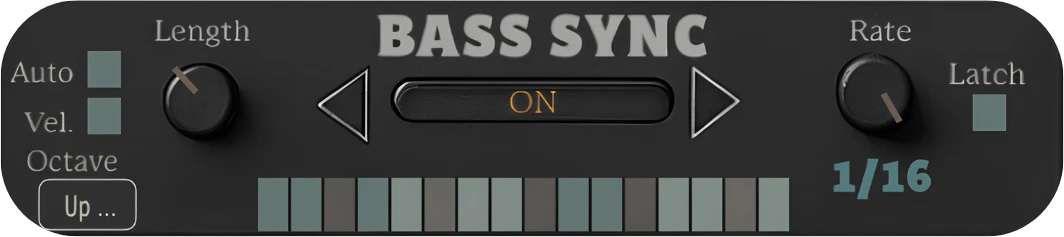
BASS SYNC

Fluid bass movement

Bass Sync allows you to pivot to new bass notes without fully releasing the previous bass note.

Bass Sync ON

Old bass note (held)

New bass note

Bass Sync grid

follows the new note